Auth Aware
Auth Aware provides multiple authentication strategies to streamline testing authenticated routes in Routesy. A status indicator in the sidebar shows your current session state: idle, authenticating, authenticated, or error.
Bearer Token
You can also authenticate using a Bearer Token. Simply provide your token in Settings > General > Authentication, and Routesy will automatically include it as an Authorization: Bearer <token> header in all your requests.
Starting from version 0.10.0, Routesy also supports automatic JWT token generation, similar to Sanctum. This allows you to easily authenticate with APIs that use JWT tokens without needing to manually generate and manage them. This feature will cover your API if it uses JWT token and Laravel Sanctum API mode, as both of them work in a similar way.
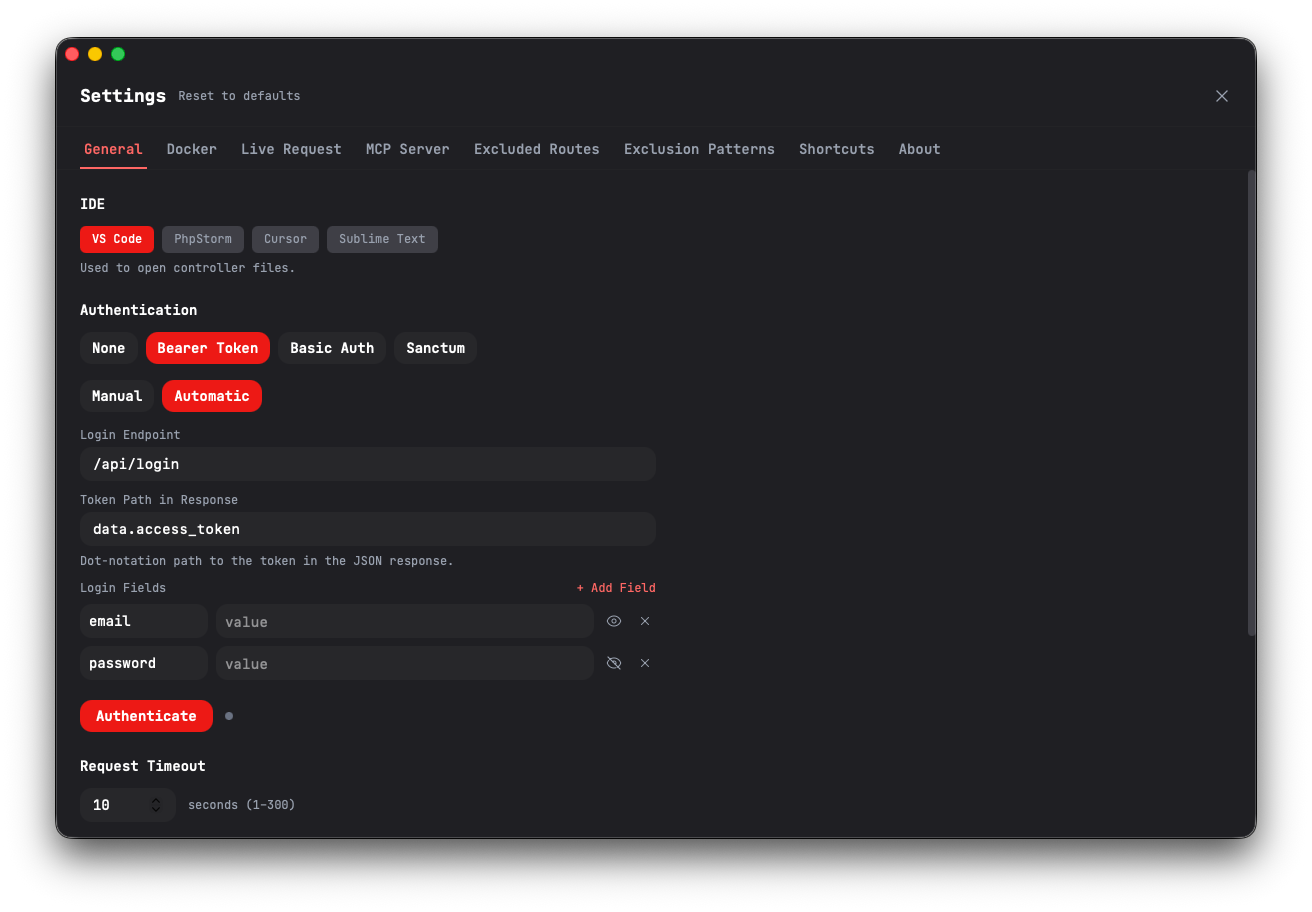
The same is also available when you're using the Live Request feature, where you can configure the JWT token generation for each environment separately.
Basic Auth
For APIs that use HTTP Basic Authentication, you can configure a username and password in Settings > General > Authentication. Routesy will include the credentials in the Authorization header for each request.
Sanctum
If you have ever tested Laravel Sanctum - SPA mode, through Postman, you have already faced a typical "problem" associated with how Laravel Sanctum works: having to make a request to /sanctum/csrf-cookie before logging in. Routesy solves this easily by allowing you to define authentication aspects based on "Sanctum", where you must specify the data used for it:
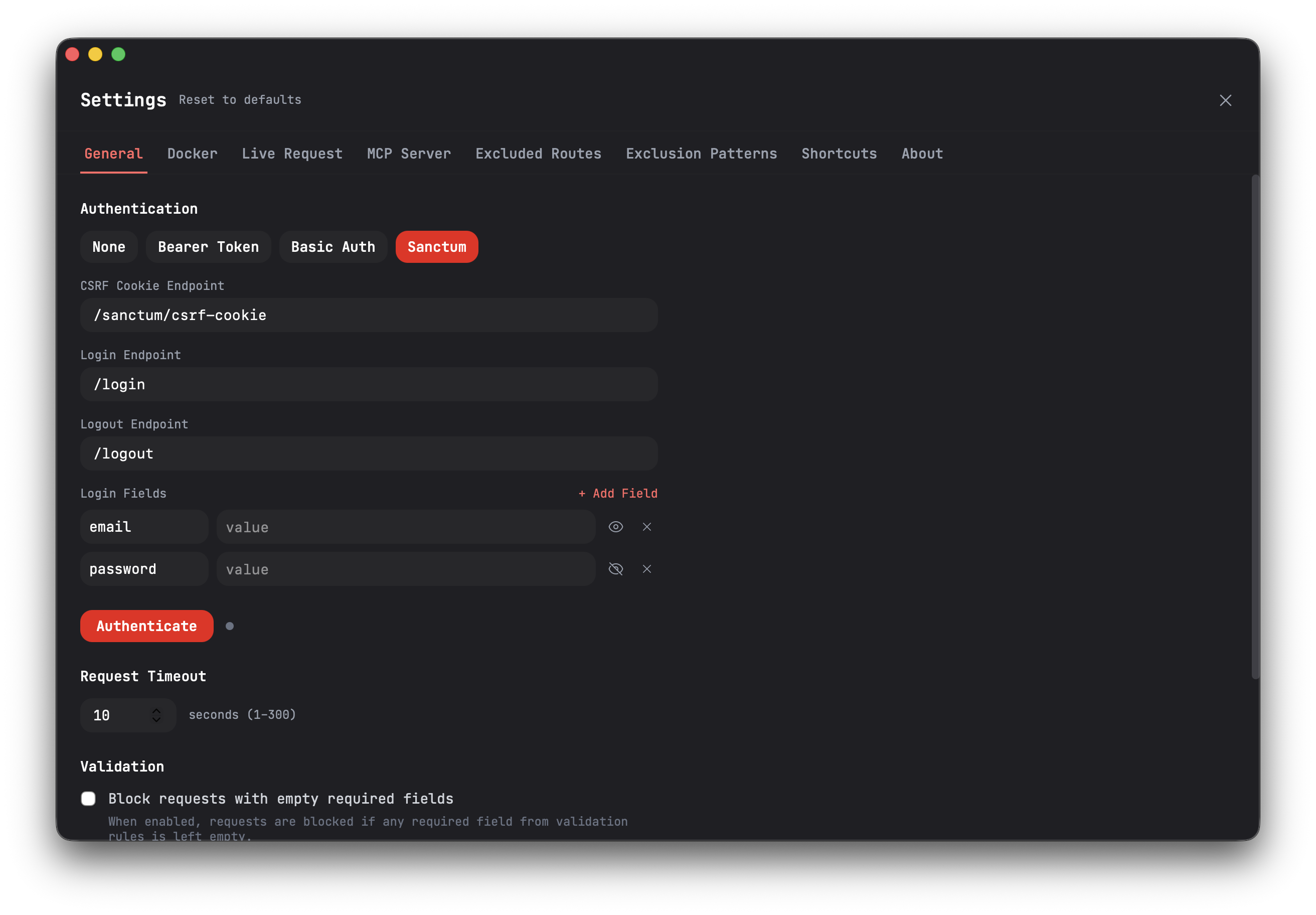
The feature consists of opening an authenticated session easily and effectively:
- First, Routesy will make a request to the CSRF cookie endpoint
- Then, Routesy will make the login request
- After that, requests protected by
auth:sanctumwill work normally
The CSRF cookie endpoint, login endpoint, and logout endpoint are all configurable in Settings > General > Authentication. You can also configure custom login fields, it is not limited to email and password. After opening the session, you can interact with it through sidebar shortcuts:
Note: The Sanctum authentication is only needed if you are using Laravel Sanctum in
SPAmode. If you are using Sanctum inAPImode, you can authenticate using the Bearer Token method by providing a valid API token.
Note: Sanctum authentication is not available when using the MCP Server, as it requires an active application window to manage cookies and session state.