MCP Server
For licenses starting from the Pro tier, Routesy provides a built-in MCP (Model Context Protocol) server that allows AI assistants to interact directly with your Laravel project's routes: listing, searching, and sending requests without leaving your editor.
The MCP server is global (not per-project). A single server instance serves all projects loaded in Routesy. AI clients specify which project to query via the project_path parameter. If only one project is open, it is auto-selected.
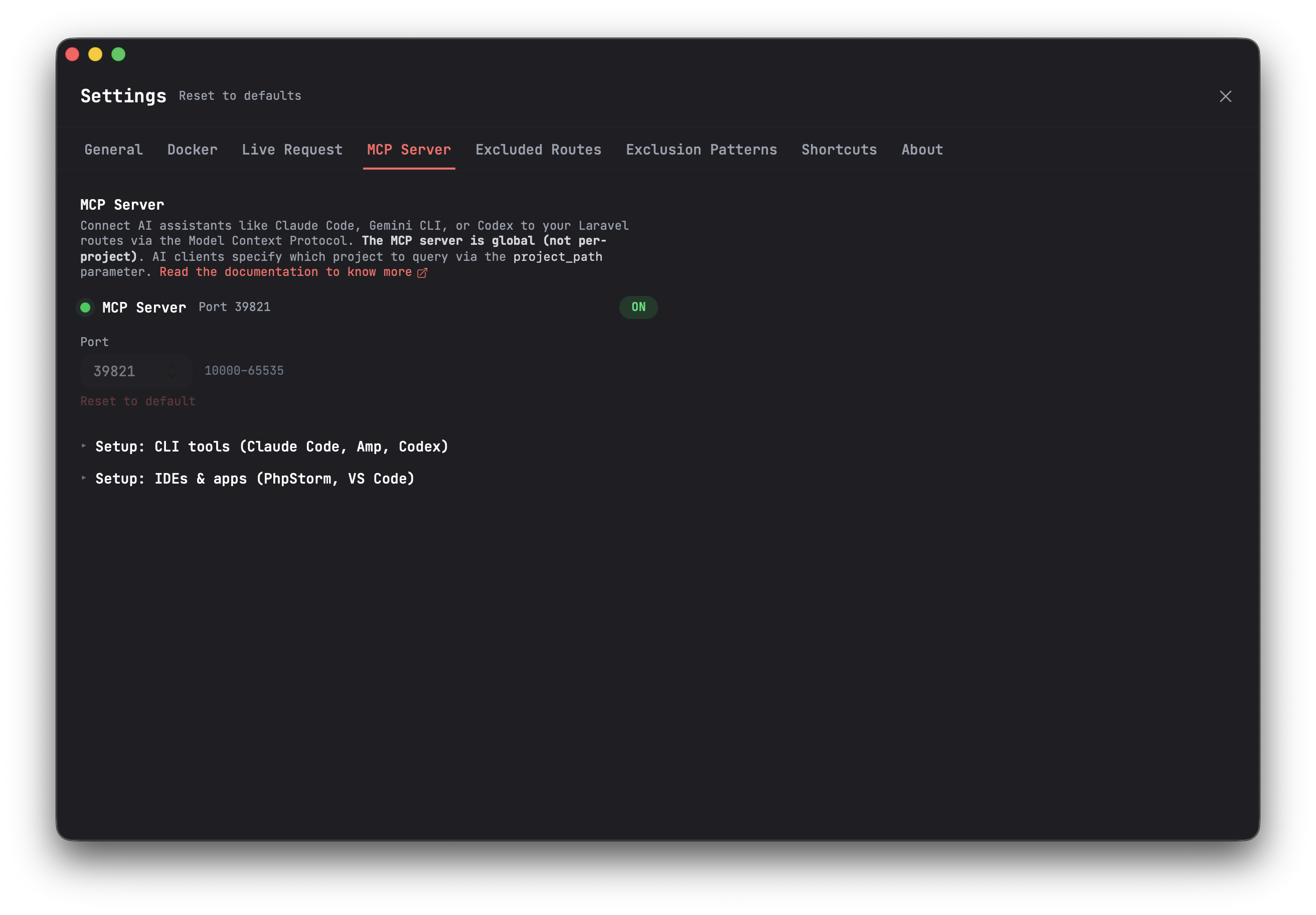
Getting Started
- Open Routesy and go to Settings > MCP Server
- Click ON to start the server
- Configure your AI client using one of the setup snippets below
The server runs on http://localhost:39821/mcp by default. You can change the port in Settings > MCP Server if needed.
No external dependencies are required. The MCP server is embedded in the Routesy.
Setup
CLI Tools
Claude Code (CLI)
claude mcp add routesy --transport http http://localhost:39821/mcpClaude Code (.mcp.json — native HTTP)
Add to your project's .mcp.json or global ~/.claude/mcp.json:
{ "mcpServers": { "routesy": { "type": "streamable-http", "url": "http://localhost:39821/mcp" } }}Claude Code (.mcp.json — via mcp-remote bridge)
For environments that require stdio transport:
{ "mcpServers": { "routesy": { "command": "npx", "args": ["mcp-remote", "http://localhost:39821/mcp"] } }}IDEs
PhpStorm
Go to Settings > Tools > AI Assistant > MCP Servers and add the following configuration:
{ "mcpServers": { "routesy": { "command": "npx", "args": ["mcp-remote", "http://localhost:39821/mcp"] } }}VS Code
Add to your .vscode/mcp.json:
{ "servers": { "routesy": { "type": "stdio", "command": "npx", "args": ["mcp-remote", "http://localhost:39821/mcp"] } }}If you changed the default port in Settings > MCP Server, replace
39821with your configured port in all snippets above.
How It Works
The MCP server is embedded in the Routesy desktop app and uses Streamable HTTP transport. It reads data from Routesy's local SQLite database in read-only mode, so your routes and project settings are always in sync with the desktop app.
When you toggle the server ON in Settings > MCP Server, Routesy starts an HTTP server on 127.0.0.1 (localhost only, not exposed to the network). When you close Routesy or toggle it OFF, the server shuts down gracefully.
Project Resolution
When an AI client calls a tool, the server resolves which project to use:
project_pathprovided — matches the exact path against loaded projectsproject_pathomitted, one project open — auto-selects that projectproject_pathomitted, multiple projects open — returns an error listing all available projects with their paths
Available Tools
list_routes
Lists all routes for a given project. Returns method, URI, name, controller, middleware, parameters, and body fields for each route.
| Parameter | Type | Required | Description |
|---|---|---|---|
project_path |
string | No | Absolute path to the Laravel project directory. Auto-selected if only one project is open. |
method |
string | No | Filter by HTTP method (GET, POST, PUT, PATCH, DELETE) |
search_routes
Searches routes by URI, route name, or controller name. Case-insensitive matching.
| Parameter | Type | Required | Description |
|---|---|---|---|
query |
string | Yes | Search term — matches against URI, route name, and controller |
project_path |
string | No | Absolute path to the Laravel project directory |
method |
string | No | Filter by HTTP method |
send_request
Sends an HTTP request to a route. Resolves the base URL from project settings, injects authentication headers, and replaces route parameters automatically.
| Parameter | Type | Required | Description |
|---|---|---|---|
method |
string | Yes | HTTP method (GET, POST, PUT, PATCH, DELETE) |
uri |
string | Yes | Route URI (e.g., api/users/{user}) |
project_path |
string | No | Absolute path to the Laravel project directory |
parameters |
object | No | Route parameters (e.g., { "user": "1" }) |
body |
object | No | Request body for POST/PUT/PATCH (JSON object) |
query |
object | No | Query string parameters (e.g., { "page": "1" }) |
headers |
object | No | Custom HTTP headers (override defaults) |
environment |
string | No | Live Request environment name (defaults to "Local") |
Note: Sanctum authentication is not supported via the MCP server, as it requires browser-level cookie and session management. Use Bearer Token or Basic authentication instead when sending authenticated requests through MCP.