Live Request
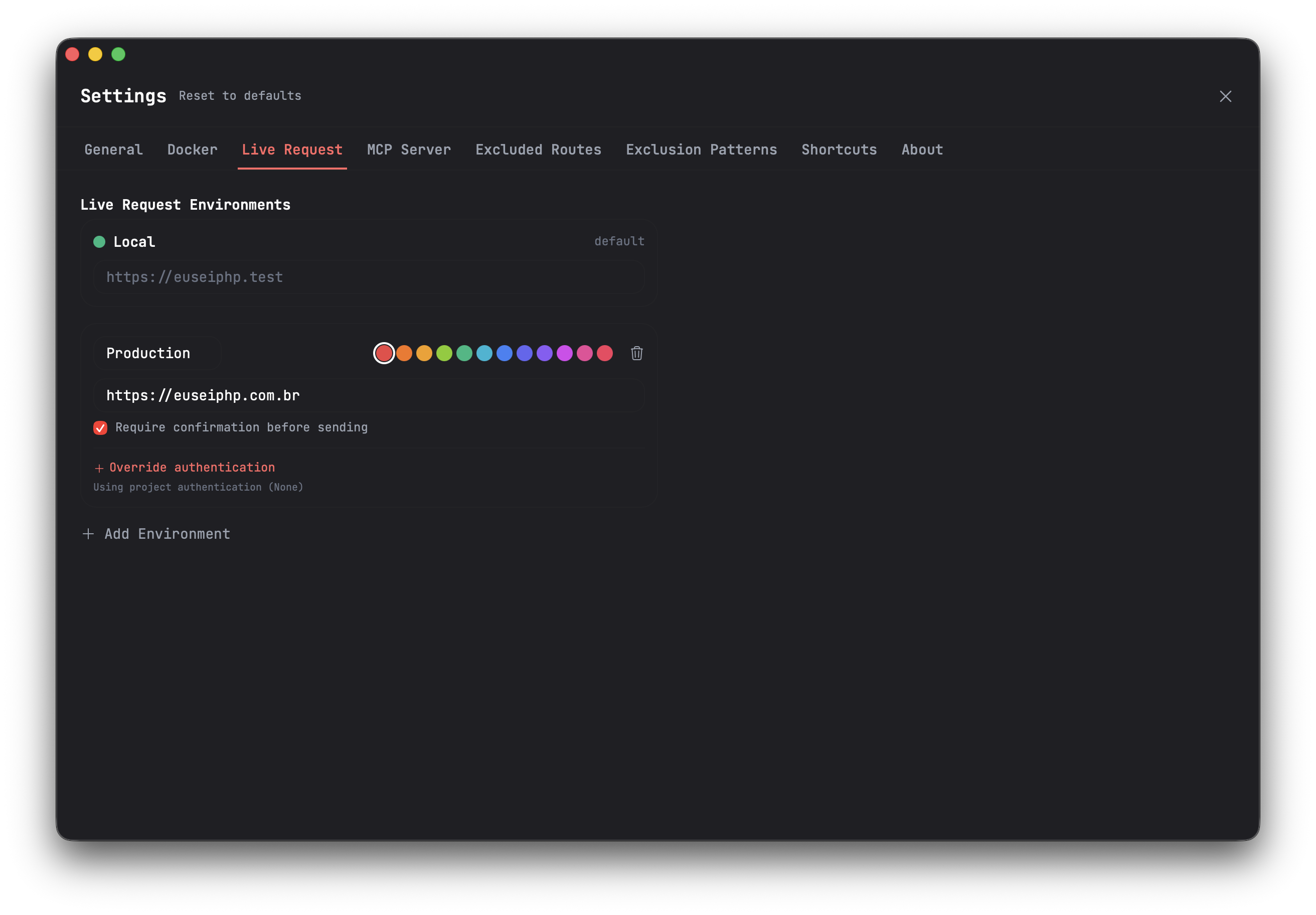
Routesy was built and designed for local testing, but what if you actually want to send a request through Routesy to your production environment? This is entirely possible with the Live Request feature. Live Request is available on all license tiers. With it, you can create different types of environments so that through an easy selector in the sidebar interface, you can send requests through Routesy to your different environments.
A "Local" environment is always present by default and cannot be removed.
Credentials Per Environment
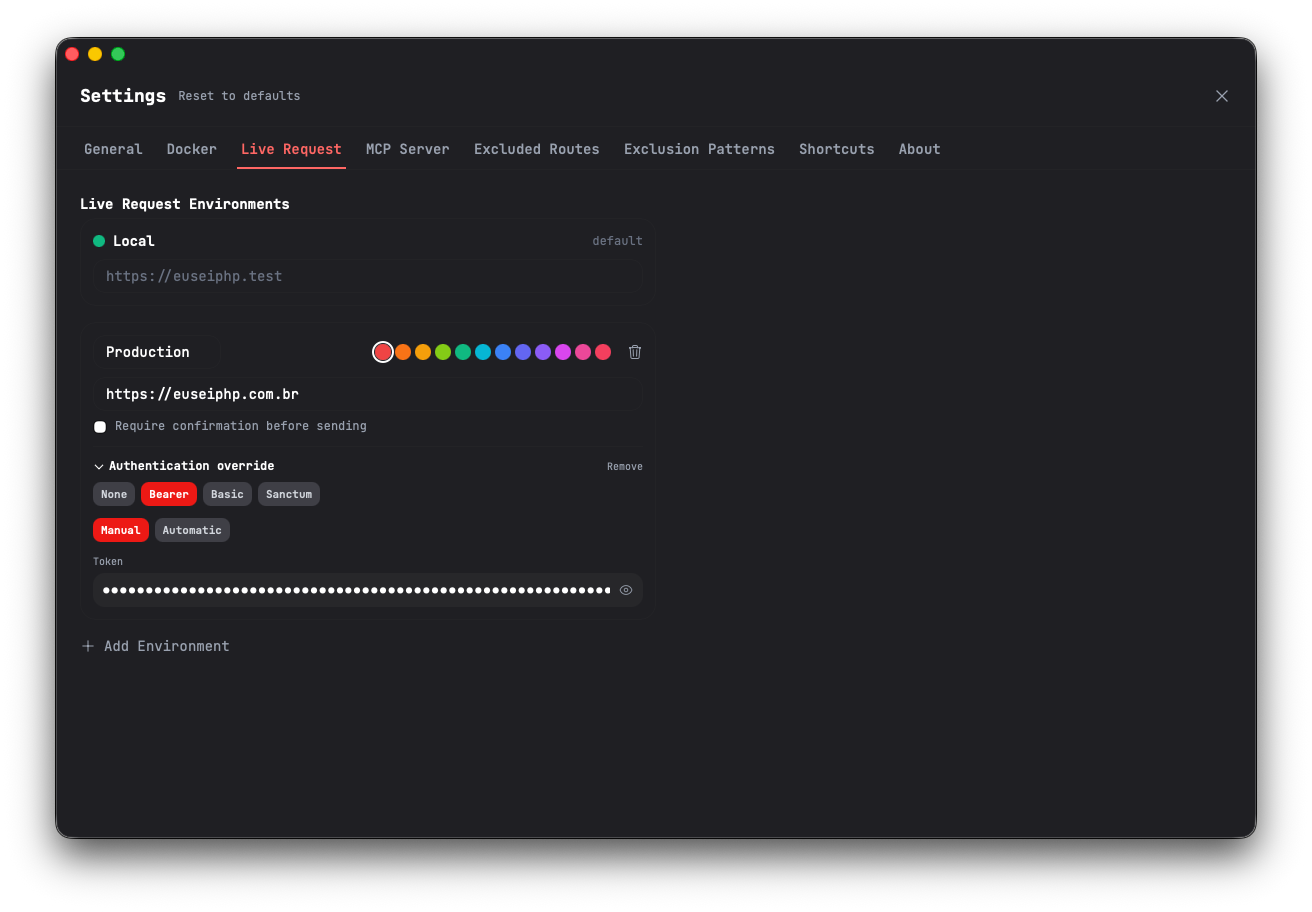
Since the main idea behind this feature is to allow you to interact with real-world environments, you can define credentials per environment, making it easier to switch between different sets of credentials when sending requests to different environments.
Confirmation Before Sending
You might noticed the image above mention a checkbox with the label "Require confirmation before sending", this is a setting that allows you to confirm the sending of a request before it is sent. This is especially useful for production environments, where you want to avoid sending requests by mistake. When this setting is enabled, every time you send a request through Routesy, a confirmation dialog will appear asking you to confirm the action before the request is sent:
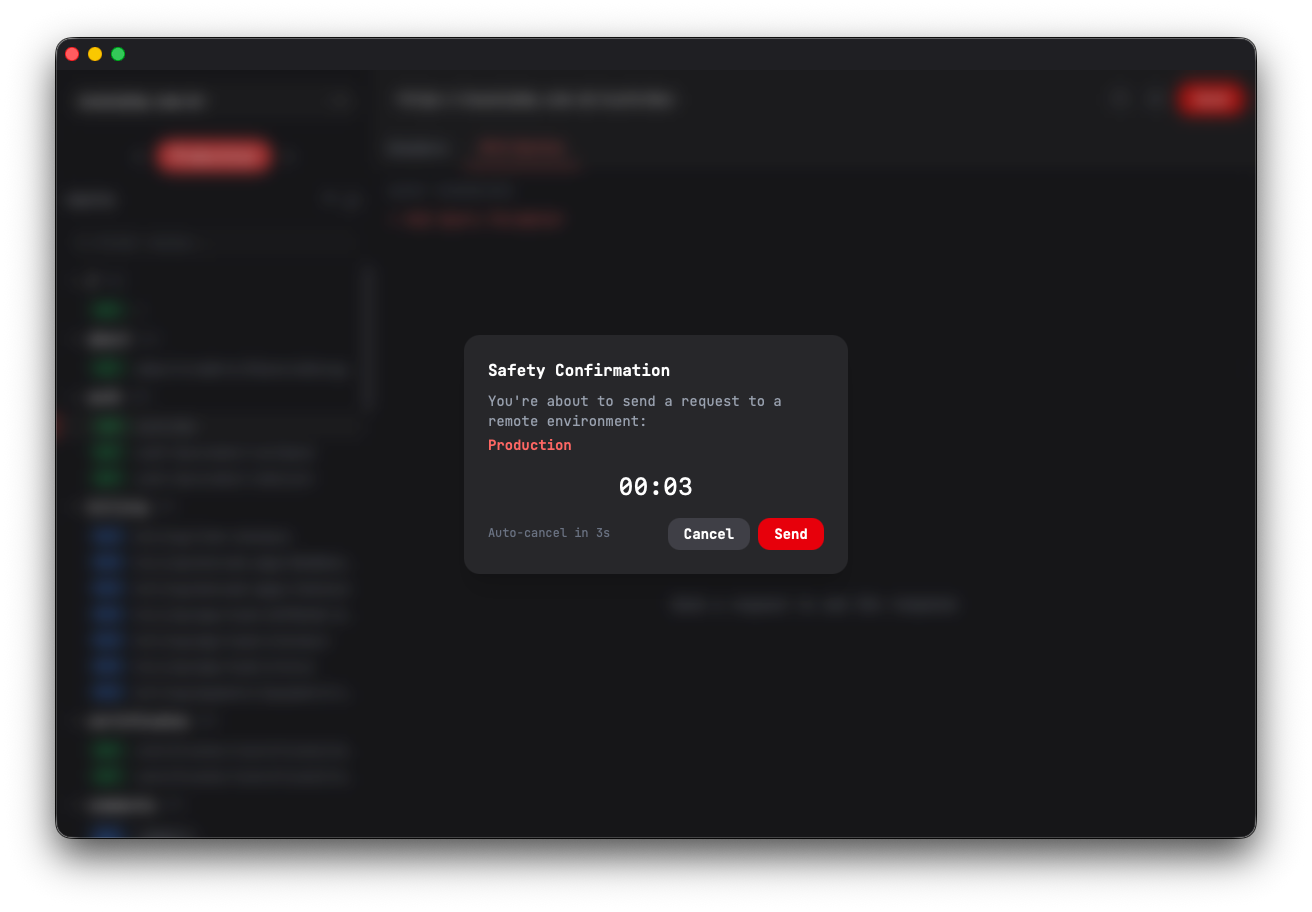
If you don't confirm the action or if you click out of the dialog, the request will not be sent. By default, you have 5 seconds to confirm, otherwise the request will not be sent.
Note: You can use the same shortcut used to submit a request, so you don't have to reach for your mouse every time.
Switching Between Environments
After creating the environments, you can switch between them using the arrow buttons in the sidebar.
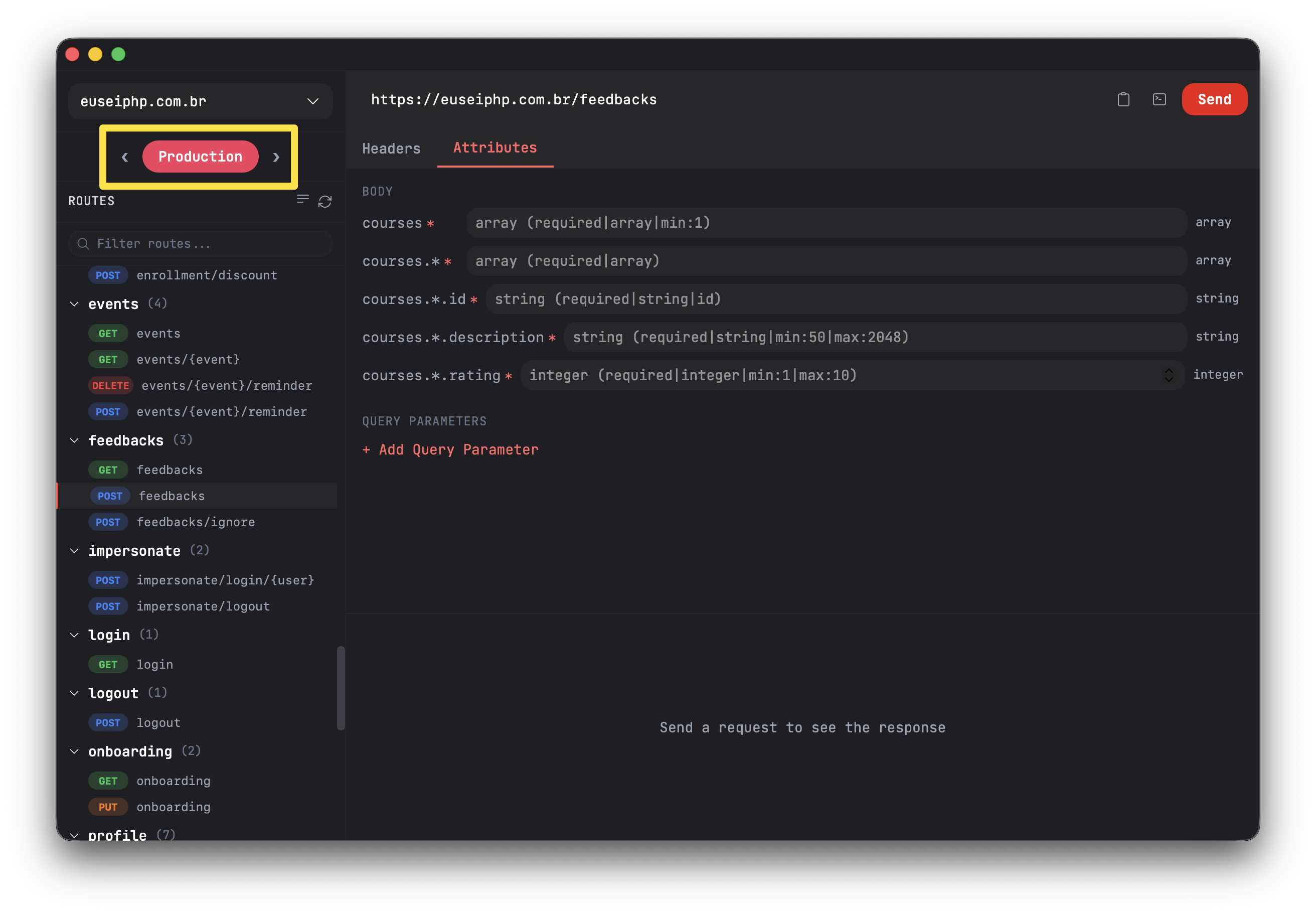
To make switching between environments easier, you can use the shortcuts Cmd+[ to navigate to environments on the left and Cmd+] to navigate to environments on the right. If you are using Routesy on Windows or Linux, then the shortcuts will be Ctrl+[ and Ctrl+]
You can create as many environments as you want. For each one, you must provide a name of up to 10 characters and select a color from the 12 predefined color options available.