Excluded Routes
Routesy will list all routes in your project. Because of this, you may end up seeing unnecessary routes in the sidebar. With that in mind, you have three different ways to exclude routes from your project.
PHP Annotation
You can use the @routesy-ignore annotation on controllers, methods, and closure routes to prevent that element from being discovered by Routesy. The annotation supports both multi-line PHPDoc and single-line formats.
Class-level annotation (excludes all routes in the controller):
/** * @routesy-ignore */class InternalController extends Controller{ // All routes in this controller will be ignored}Method-level annotation (excludes a specific route):
class UserController extends Controller{ /** @routesy-ignore */ public function internalReport() { // This route will be ignored }}Temporary Exclusion
After loading your project's routes into Routesy, you can right-click on a route and select the "Hide for this session" option.
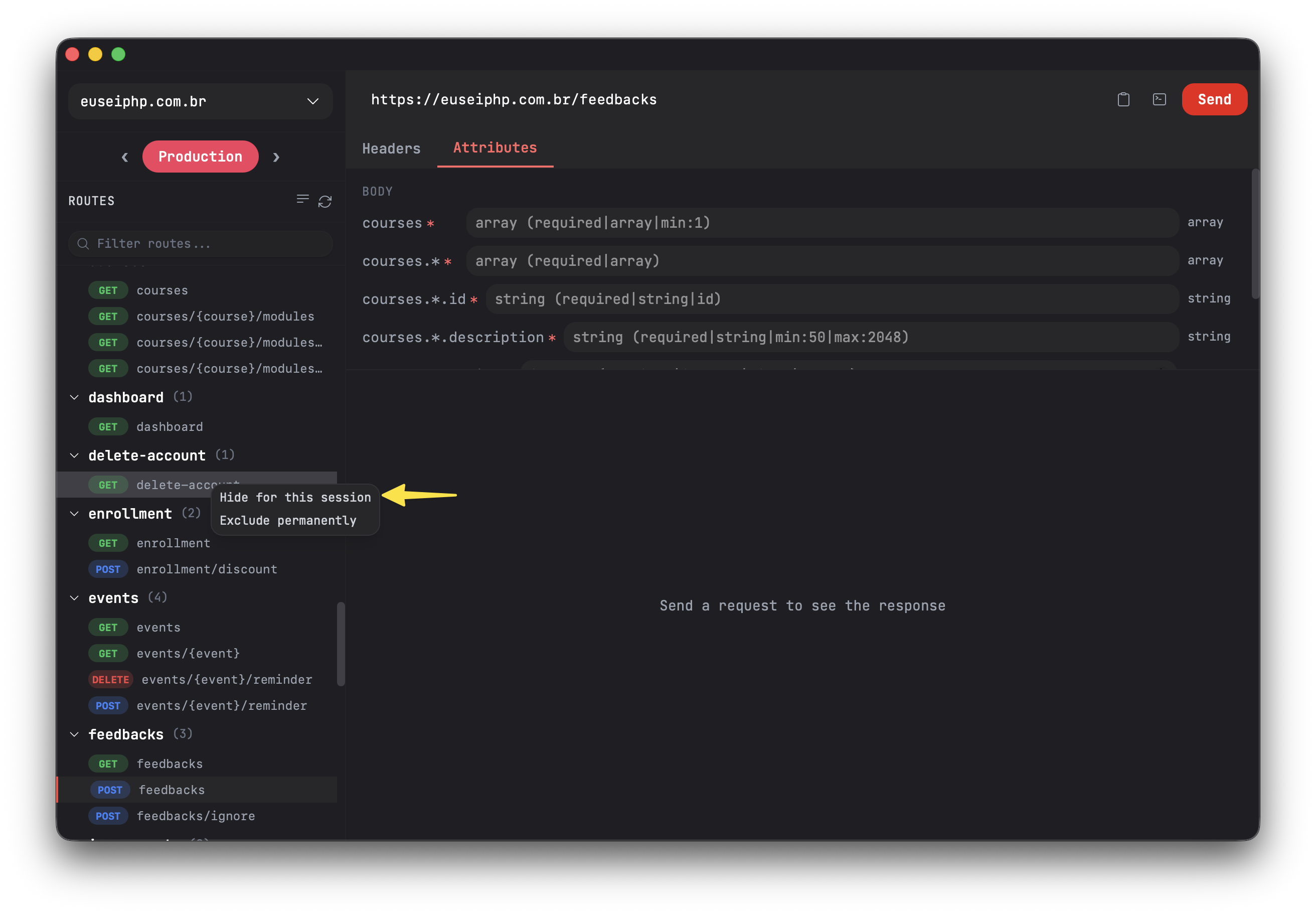
This will cause the selected route to be excluded from the Routesy session. This means the route will be displayed again when you close and reopen Routesy.
Permanent Exclusion
You can also right-click on a route in the route list and select the "Exclude permanently" option:
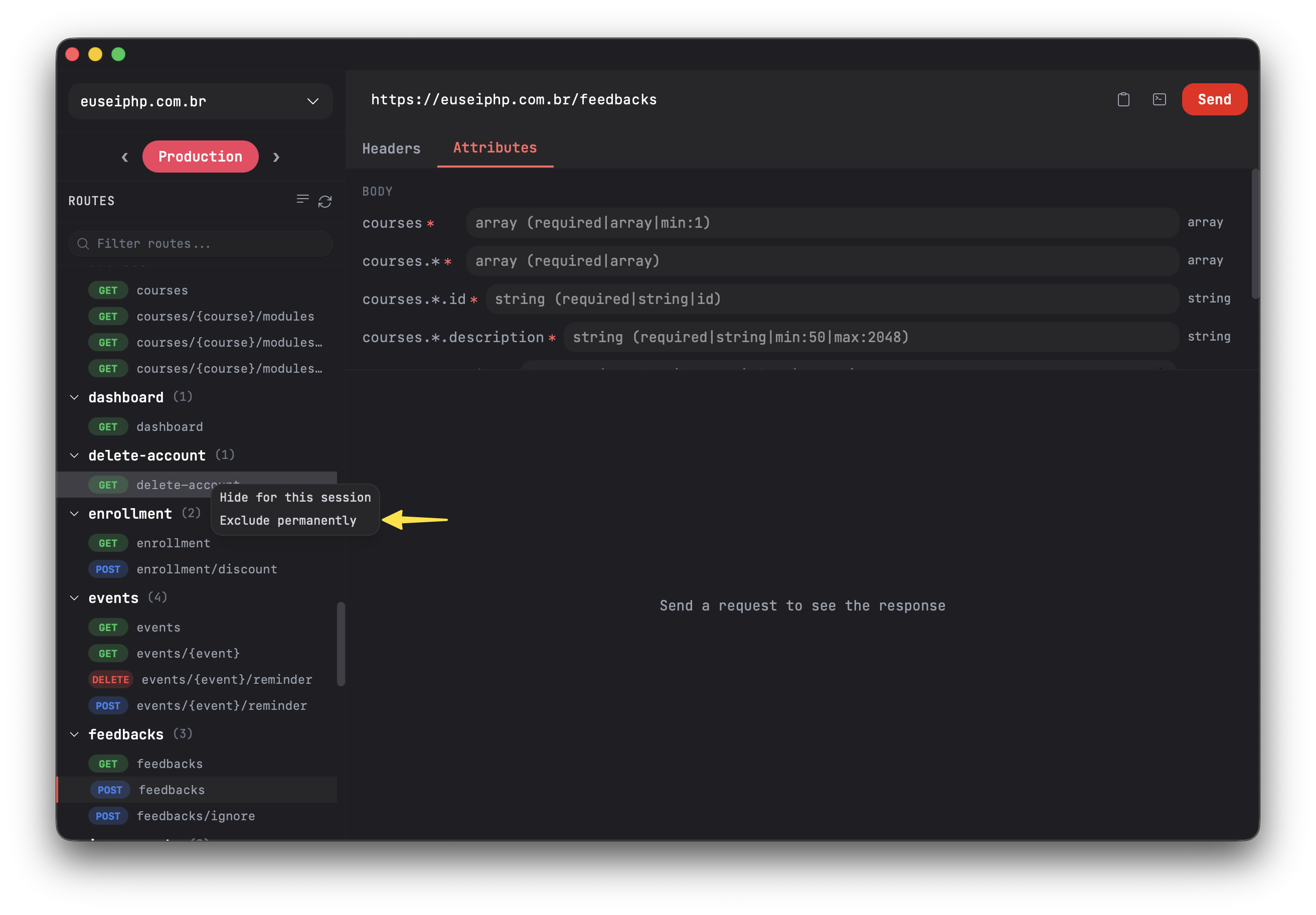
This will register the selected route in the Settings > Excluded Routes tab, which will prevent the route from being displayed as long as it exists as an excluded route. If you delete the route and refresh Routesy's routes, the record will be removed from Excluded Routes since there is no longer a need to store it there.
Note: You can delete a route group by hovering your cursor over the group - when grouping routes by groups - and clicking the eye icon displayed next to the group name on the far right to delete the entire group.