Route Auto-Discovery
When you load a project in Routesy, several things happen behind the scenes to properly scan your routes. Although opening the project scans the routes, you can request a new scan at any time by pressing the refresh button in the sidebar:
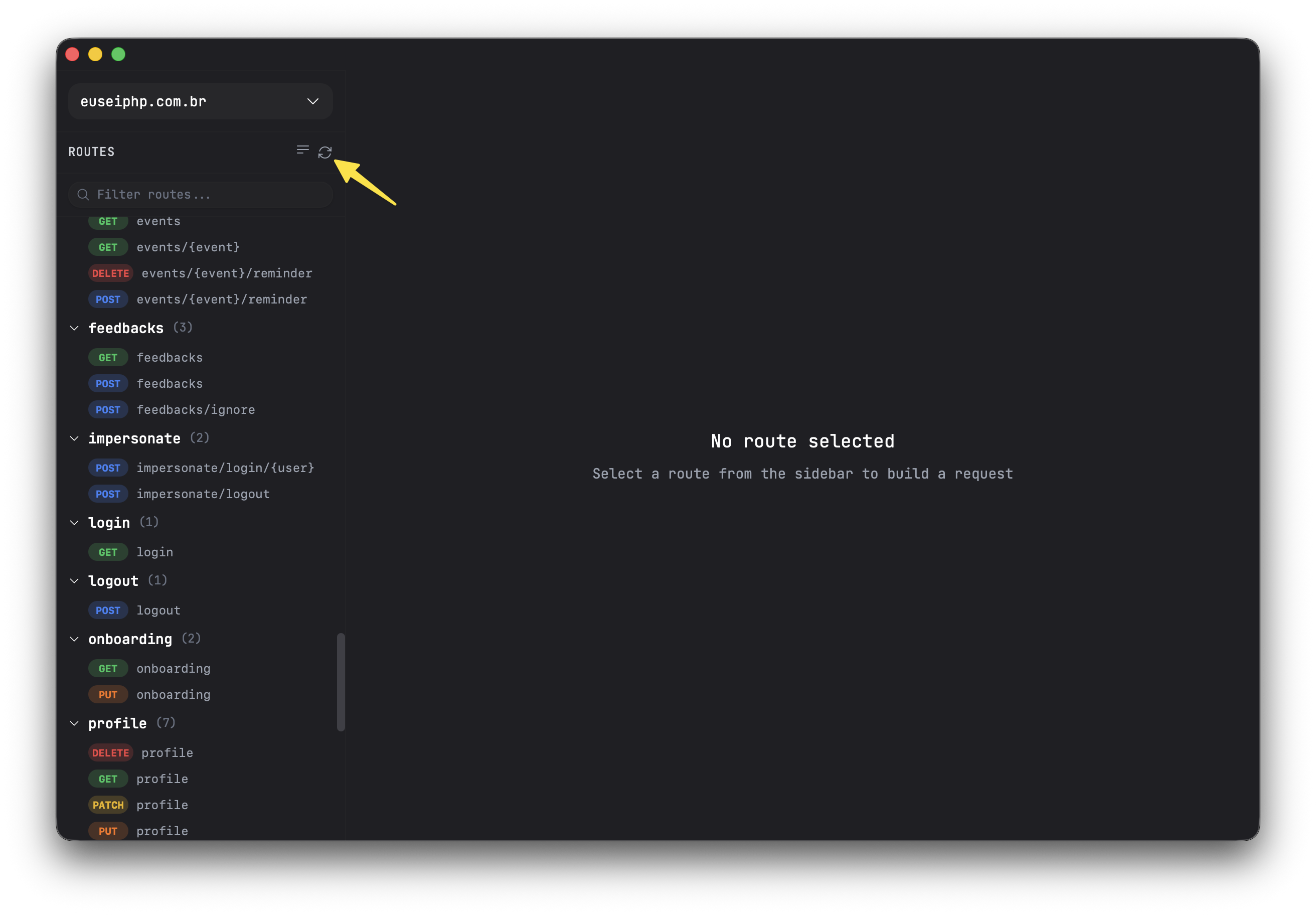
When the route scan is complete, you will see a list of all your routes in the sidebar. They are also saved to a local SQLite database, so your routes persist between application launches.
The listed routes represent your application's routes containing all related information so that you can send a request.
Although you need to manually click the refresh button when adding a new route to your project, you can hit Cmd+Shift+S in macOS or Ctrl+Shift+S in Windows/Linux to trigger a route scan through a shortcut, or using the Hidden Sync feature to refresh your routes whenever you perform a git commit, for example.
Request Body
One of the biggest advantages of using Routesy is the automatic extraction of validated fields, which causes fields to be displayed as the "body" of a POST request, for example. As a result, the route scan can even detect whether a field uses required or not, a Laravel validation rule, to indicate that a field is mandatory. Required fields are marked with a red asterisk in the UI. Routesy is designed to handle various types of validations:
- Form Request
- Inline validation via
Validator::make - Inline validation via
validator - Inline validation via
request()->validate() - Inline validation via
$request->validate() - Conditional validation via
->sometimes()
Field types are automatically inferred from validation rules, for example, string, integer, boolean, file, array, and date are all recognized. Validation rules are also displayed as hints next to each field (e.g., required|string|max:255).
So, regardless of where the validation is applied through the controller, it will be properly captured. Closure routes are also supported. If you notice that a specific validation is not being captured, please report it as an issue.
Expected Fields
Similarly to the Request Body, Routesy also analyzes use cases related to intercepting optional request attributes through methods like input or get, for example:
$name = $request->input('name');In this example, the route associated with the example above would indicate an Expected Field in Routesy. Filling it in would not be required, but it would be available in Routesy. Examples of things commonly detected by Routesy:
request()->input()request()->get()request()->query()request()->only()(both array and variadic forms)$request->only()(both array and variadic forms)
Route Grouping
By default, routes are listed in a flat structure in the sidebar. You can change how routes are grouped using the dropdown in the sidebar. The available grouping options are:
- Flat —All routes listed without grouping
- By Method —Routes grouped by HTTP method (GET, POST, PUT, etc.)
- By Prefix —Routes grouped by their URL prefix